

You have a vision for a custom glass piece, a personalized gift, or a small business product line. But finding the right tool to etch precise, lasting designs onto glass can feel overwhelming. This guide reviews the best glass laser engraving machines of 2026, focusing on models that deliver sharp detail, safety, and ease of use for beginners and pros alike.
We evaluated five top contenders, from portable units to powerful desktop systems. Whether you are a hobbyist or a small business owner, our curated list and buying advice will help you choose the perfect engraver for your glass projects. For more on craft machines, visit our Craft & Cutting Machines category.

Pros
- Fully self-contained, PC-free design with built-in touchscreen and operating system.
- Excellent safety features: Class 1 laser with auto-stop cover and real-time alerts.
- Versatile material compatibility: wood, leather, glass, acrylic, and more.
- Multiple connectivity options including WiFi, USB-C, and SD card.
- No assembly required and extremely easy to set up right out of the box.
Cons
- Only 3W laser power limits speed and depth on thicker materials.
- Small engraving area may not suit large projects (dimensions 10.4 x 8.4 x 7.7 inches).
- Limited user reviews available, so long-term reliability is not yet proven.
The AlgoLaser Pixi 3W Portable Laser Engraver is a game changer for anyone looking to dive into laser engraving without the complexity of traditional setups. Designed with beginners, hobbyists, and small business creators in mind, this machine puts creativity at your fingertips with no computer needed. Just power on, use the vibrant 3.5-inch touchscreen running AlgoOS, and you are ready to engrave on wood, leather, glass, acrylic, and many other craft materials right away.
What truly sets the Pixi apart is its standalone operation. You can draw using AlgoSketch, type text with AlgoType, or upload designs from a USB drive, SD card, or even your phone via WiFi. The process is as simple as drag, place, and engrave. In real world use, the 3W laser delivers clean, precise results on lighter materials like wood and leather, though deeper cuts on acrylic may require multiple passes. The safety features, particularly the Class 1 laser and the auto-stop lid, give peace of mind for home users and families.
Build quality is solid for its size: the compact aluminum frame feels sturdy yet portable at under 7 pounds. The touchscreen interface is responsive and intuitive, making it easy to tweak settings on the fly. The machine also supports LightBurn and LaserGRBL software for those who want to edit more advanced designs, adding to its versatility. Optional accessories like rotary rollers open up engraving on tumblers and bottles, making it a flexible tool for personalized gifts and small business orders.
There are a few trade offs to consider. The 3W laser is relatively low power, so it is not suited for heavy duty cutting or deep engraving on hard materials. The working area is also modest, roughly the size of A5 paper, which may limit larger projects. Additionally, with only a handful of reviews available, long term durability remains unconfirmed. However, AlgoLaser offers a 1 year warranty and 24/7 support, which helps mitigate early adoption risk.
Overall, the AlgoLaser Pixi is an outstanding entry point for anyone wanting a safe, user friendly, and portable engraving solution. It excels at quick, custom projects like keychains, coasters, jewelry, and signage. If you value convenience, safety, and the ability to create without a computer, this engraver delivers exceptional value for its price point.

Pros
- Powerful 5.5W laser with air assist for better cutting performance
- High precision (0.1mm accuracy) suitable for detailed projects
- Fast engraving speed and versatile material compatibility
- Multiple software and connectivity options (Wi-Fi, offline, wired)
- Durable build and reliable performance, as noted by long-term users
Cons
- Initial assembly can be challenging and may require multiple attempts
- Software setup (e.g., LightBurn) has a learning curve for beginners
- Laser power limited to 5.5W, not ideal for cutting thick materials beyond 5mm plywood
The Twotrees TTS-55 Pro is a 5.5W laser engraver designed for hobbyists, makers, and small business owners who need a reliable machine for engraving and cutting a variety of materials. With its upgraded air assist support and high precision, it offers a solid entry point into laser crafting without breaking the bank.
Standout features include the 5500mW laser with a metal air-assisted nozzle, which delivers cleaner cuts and deeper engraving on wood, leather, acrylic, and even stainless steel. The advanced compression laser technology and 0.08x0.46mm spot focus allow for fine details up to 0.1mm accuracy. Real-world performance matches the specs: users report good results on 5mm plywood and 3mm acrylic, making it suitable for custom signs, jewelry, and home decor projects.
Design and build quality are solid for the price. The machine includes a red laser shield for safety and a 300x300mm working area. The 32-bit control board supports high-speed engraving up to 30,000mm/min, and Wi-Fi connectivity enables wireless control via a mobile app or web browser. Assembly is straightforward but some users note it can be tricky, requiring patience to get everything aligned perfectly.
Drawbacks include a steep initial setup, especially for those new to laser engravers. Some users had to disassemble and reassemble multiple times. Software compatibility is good, but beginners may need time to learn LightBurn or LaserGRBL. The 5.5W laser is not powerful enough for thick materials beyond 5mm plywood or dense acrylic.
Overall, the Twotrees TTS-55 Pro offers excellent value for its price, combining decent power, precision, and modern connectivity. It is a great choice for beginners willing to invest time in setup and learning, as well as experienced users looking for an affordable secondary machine.

Pros
- Large 300x300mm work area accommodates bigger projects or multiple items at once.
- High-speed engraving up to 20,000mm/min saves time on batch jobs.
- Comprehensive safety features including auto-stop, flame sensor, and emergency stop.
- Modular assembly is quick and tool-free, ideal for beginners.
- Versatile material compatibility: wood, leather, glass, coated metal, stone, and more.
Cons
- 10W power may be limiting for cutting thicker materials or deep engraving on hard surfaces.
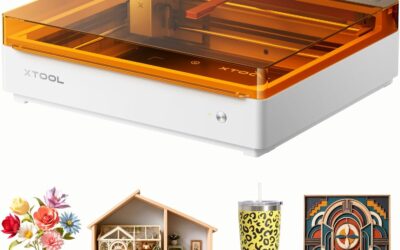
- The orange enclosure may not suit all workshop aesthetics.
- Some users may prefer a larger or more established brand for technical support.
The WOXCKER L2 MAX 10W laser engraving machine is designed for DIY makers, small business owners, and hobbyists who want to create personalized gifts, signs, and crafts. With a 300x300mm engraving area and speeds up to 20,000mm/min, it offers a balance of size and speed that suits both single custom pieces and small batch production.
Its standout feature is the 0.01mm ultra-precision achieved through point-compression technology, which produces sharp, clean lines on wood, leather, glass, coated metal, and stone. The 10W laser handles detailed engraving well, though it may not be powerful enough for cutting thicker materials or deep carving. The fully enclosed 360° design helps contain fumes and noise, and includes lid-open auto-stop, flame detection, and emergency stop for safer operation.
Build quality is solid with an aluminum frame and modular assembly that eliminates belt adjustments, cutting setup time by 30-40 minutes. The machine supports multiple control options: Wi-Fi, USB, APP, and TF card, and works with LightBurn, LaserGRBL, and CutLabX software. It is also compatible with optional Air Assist and a Rotary Roller for cylindrical items.
Potential drawbacks include the 10W power which limits cutting capability, and the bright orange enclosure may not appeal to everyone. Some users may prefer more established brands for customer support, but the included safety features and ease of assembly make it a strong contender for beginners and small shops.
Overall, the WOXCKER L2 MAX is a well-rounded laser engraver that delivers good precision and speed for its price. It is best suited for makers and small businesses focused on engraving rather than cutting, and who value safety and quick setup. For those needs, it is a reliable and capable choice.

Pros
- Beginner-friendly with free software, AI design, and offline control.
- Strong community support with 500,000+ users and lifetime technical assistance.
- Compact A4 work area fits most projects without dominating your desk.
- True 10W power with verified output for consistent results.
- Upgradeable to engrave bare metal, extending its usefulness.
Cons
- Bare metal engraving requires purchasing the optional IR laser head separately.
- No built-in air assist; may need an external pump for cleaner cuts on some materials.
- Advanced features in LightBurn or LaserGRBL have a learning curve beyond the basic AI app.
The Carverall K15 Pro 10W laser engraver is a versatile desktop machine designed for hobbyists, crafters, and small business owners. It combines a true 10W diode laser with AI-powered software and offline control, making it accessible to beginners while still offering advanced capabilities for experienced users. The package includes a full starter kit with safety glasses, materials, and tools, so you can start engraving right out of the box.
Standout features include the verified 10.36-10.58W output that cuts 12mm plywood and 8mm acrylic cleanly, and the dual-fan cooling system that reduces heat buildup by 50% for long batch jobs. The one-touch auto focus and 4K precision at 0.01mm ensure fine details on items like tumblers, jewelry, and wood signs. The AI design feature allows you to snap a photo or type a prompt to generate vector files instantly, eliminating the need for complex software.
The build quality is solid for its price point, with a compact A4 work area (11.8x7.9 inches) that handles 98% of common projects. Assembly takes just three minutes with six screws, and the machine is lightweight enough to move around your workspace. The TF card slot enables offline batch printing, which is great for craft fairs or small production runs. However, the included safety glasses are basic, and some users may prefer upgraded protection.
Potential drawbacks include the need to purchase an optional IR laser head for engraving bare metals like stainless steel or aluminum. There is no built-in air assist, so you may need an external pump to reduce smoke and charring on certain materials. While the AI app is beginner-friendly, advanced users will need to learn LightBurn or LaserGRBL for full control, which adds a learning curve. The community support via Facebook and YouTube is excellent, but response times from customer service can vary.
Overall, the Carverall K15 Pro offers exceptional value for its price, combining ease of use, reliable power, and upgradeability. It is an excellent choice for DIY enthusiasts, small business owners, and anyone looking to start laser engraving without a steep investment. With its strong community and lifetime technical support, this machine is a solid long-term partner for creative projects.

Pros
- Exceptional 0.01mm precision delivers crisp, detailed engravings on a wide range of materials
- Class 1 safety enclosure with automatic shutoff and smoke exhaust for worry-free use
- Complete starter kit includes enclosure, honeycomb bed, 13 materials, and tools
- Cross-platform software compatibility makes setup and control easy for beginners
- Expandable ecosystem with rotary roller, air assist, and purifier for advanced projects
Cons
- 10W laser may require multiple passes for thicker wood or acrylic cuts
- Engraving is limited to coated metal, not bare metal surfaces
- Compact enclosure may not accommodate very large workpieces
The BlazeX M3 is a compact 10W laser engraver and cutter designed for hobbyists, crafters, and small business owners. It combines fine 0.01mm precision with a beginner-friendly bundle that includes a protective enclosure, honeycomb bed, and 13 sample materials.
In practice, the M3 handles detailed engraving on wood, leather, glass, and coated metal with impressive clarity. The 2-in-1 capability also allows clean cuts through thin wood and acrylic, making it a versatile desktop tool for personalized gifts, jewelry, and prototypes.
The machine features a sturdy metal frame and a Class 1 safety enclosure that filters radiation and exhausts smoke while keeping noise low. Smart tilt and lid sensors instantly stop the laser for added peace of mind, which is especially valuable in home or classroom settings.
The 10W laser is not intended for heavy-duty cutting, so thick hardwoods or dense acrylic will require multiple passes or may be beyond its limits. Also, bare metal engraving is not supported, only coated metal surfaces. Beginners should also plan to watch setup tutorials to get the most from the software.
Overall, the BlazeX M3 offers exceptional value for entry-level laser engraving and small-batch production. With its safety features, complete kit, and expandable accessories, it is a reliable choice for anyone looking to turn creative ideas into finished products.
Laser Power: 10W
Engraving Precision: 0.01mm
Supported Materials: Wood, leather, glass, coated metal, acrylic, and more
Safety Rating: Class 1 with smart sensors and smoke extraction
Software Compatibility: LightBurn, LaserGRBL, CutLabX
Operating Systems: Windows, macOS, iOS, Android
Included Components: M3 Laser Engraver, honeycomb laser bed, protective enclosure, 13 engraving materials, goggles, tool kit
Item Weight: 8 pounds
Warranty: One-year manufacturer warranty
Buying Guide
Laser Power and Precision
For glass engraving, laser power matters, but so does beam accuracy. A 10W diode laser can etch detailed patterns on glass without cracking, provided it offers fine focus. Look for machines with 0.01mm precision or better to ensure crisp lines and intricate designs.
Higher power also speeds up engraving, but glass is sensitive to heat. Models with adjustable power settings let you control depth and avoid damage. The K15 Pro and BlazeX M3 both offer 10W output with ultra-fine focus, making them excellent for glass work.
Safety Features
Safety is paramount when working with lasers, especially on glass which can reflect beams. A Class 1 enclosed design with lid-open auto-stop is ideal for home use. The AlgoLaser Pixi and WOXCKER model both feature automatic shutoff when the cover is opened.
Additional protections like flame detection, tilt sensors, and emergency stop buttons add peace of mind. For a deeper look at home workshop safety, check out our Home & Hobby section.
Software and Connectivity
User-friendly software can make or break your engraving experience. Many modern machines support LightBurn and LaserGRBL, but some offer proprietary apps with AI design tools. The K15 Pro includes CutLabX with AI image generation, while the AlgoLaser Pixi runs its own AlgoOS on a touchscreen.
Wi-Fi and offline TF card support add flexibility, letting you engrave without a computer. Consider your workflow: if you prefer mobile control, look for app compatibility. If you work in batches, offline memory is a time-saver.
Work Area and Versatility
Glass projects vary from small tumblers to large panels. A compact A4-sized bed (like the K15 Pro) handles most common items, while a 300x300mm area (like the WOXCKER) accommodates larger designs. For cylindrical objects like glasses or bottles, a rotary roller accessory is essential.
Some machines come with heightening columns to engrave taller items. The BlazeX M3 and Twotrees TTS-55 Pro both support optional rotary attachments, expanding their capabilities beyond flat surfaces.
Final Thoughts
For most users, the K15 Pro Laser Engraver 10W-Laser Engraving Machine offers the best balance of power, precision, and beginner-friendly features, with its AI software and offline control making glass engraving simple. If you prioritize a PC-free experience and compact design, the AlgoLaser Pixi 3W Portable Laser Engraver is a fantastic choice for quick, creative projects. Both models deliver excellent results on glass and are backed by strong support communities.
Frequently Asked Questions
Can a laser engraver etch glass?
Yes, diode laser engravers can etch glass by creating a frosted effect. The laser beam removes a thin layer of the glass surface, leaving a permanent mark. For best results, use a machine with adjustable power and fine focus to avoid cracking.
What is the best laser power for engraving glass?
A 5W to 10W diode laser is sufficient for most glass engraving tasks. Higher power allows faster engraving but requires careful control to prevent heat buildup. The 10W models in our guide, like the K15 Pro and BlazeX M3, offer excellent detail and speed for glass projects.
Do I need a rotary attachment for engraving glasses?
For cylindrical items like wine glasses or mugs, a rotary roller attachment is highly recommended. It rotates the object evenly under the laser, ensuring consistent engraving around the curve. Many machines in our list, including the Twotrees TTS-55 Pro, support optional rotary accessories.
Is it safe to use a laser engraver at home?
Modern laser engravers with Class 1 enclosures are safe for home use when operated correctly. Features like lid-open auto-stop, flame detection, and fume extraction minimize risks. Always follow the manufacturer’s safety guidelines and wear protective eyewear. For more safety tips, visit our Home & Hobby page.
Write Your Review
No reviews yet. Be the first to share your experience!