

You have a stack of adhesive vinyl, a box of transfer tape, and hundreds of project ideas saved on your phone. What you do not have yet is a machine that can cut those ideas precisely. A vinyl cutter turns digital designs into physical labels, decals, shirts, and signs, but choosing one from the crowded market can feel overwhelming. That is why we evaluated the best vinyl cutting machines available in 2026 across all experience levels.
From the ultra-compact Cricut Joy Xtra to the production-ready VEVOR wide-format plotters, every machine in this guide was selected by comparing manufacturer specifications and verified owner feedback on cut quality, workflow, and build reliability. We also considered software costs and connectivity options, since the last thing you want is a machine that locks you into a subscription. If you are setting up a craft room from scratch, take a look at our Home & Hobby guides for smart workspace ideas.

Pros
- Compact and portable design saves space and is easy to store or travel with
- Mat-free Smart Vinyl cutting speeds up workflow and simplifies setup
- Bundle includes essential tools and vinyl, so you can start right away
- High customer satisfaction with a rating of 4.6 out of 5 stars
- Versatile for various projects from labels to iron-on designs
Cons
- Smart Vinyl is required for mat-free cutting, which can be more expensive than regular vinyl
- Limited cutting width compared to larger Cricut models, may not suit oversized projects
- Some users may find the Cricut Design Space app has a learning curve
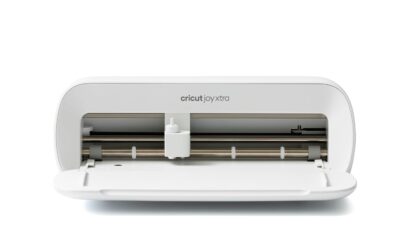
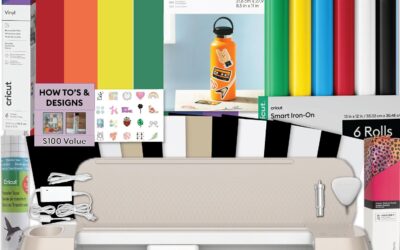
The Cricut Joy Xtra Cutting Machine Bundle is an all-in-one solution for hobbyists, teachers, and DIY enthusiasts who want to create custom labels, decals, and personalized gifts without a steep learning curve. This compact machine is designed for small spaces and is perfect for those who craft occasionally or on the go.
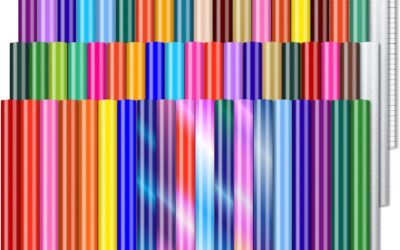
Its standout feature is the ability to cut Smart Vinyl without a cutting mat, which simplifies the process and allows for longer continuous cuts. The included rainbow vinyl sampler and transfer tape let you start projects immediately, while the essential tools (weeder, spatula, etc.) make weeding and applying designs a breeze. Users praise the machine's precision and the vibrant colors of the vinyl.
Build quality is solid, with a sleek, space-saving design that fits neatly on a desk. The setup is quick, and the Cricut Design Space app offers a library of designs and fonts, though some beginners may need a short time to familiarize themselves with the software. The machine is also portable, making it easy to take to craft nights or workshops.
Potential drawbacks include the need to purchase Smart Vinyl for mat-free cutting, which can be pricier than standard vinyl, and the limited cutting width (about 5.5 inches) compared to larger Cricut models. However, for most small-to-medium projects, this is not a limitation.
Overall, the Cricut Joy Xtra bundle is an excellent choice for beginners and experienced crafters alike who value convenience and portability. Its ease of use, versatility, and included accessories make it a great value, earning a strong recommendation from satisfied users.
Pros
- Exceptional cut precision due to SNA belt-driven chassis.
- IPT Technology ensures clean, tension-free cuts on complex designs.
- Low noise operation at 50 dB for a peaceful crafting experience.
- Versatile tool options for cutting, sketching, and more creative tasks.
- Compact size saves space while offering a decent cutting area.
Cons
- Limited to 9-inch width, not suitable for large-scale projects.
- Some users may find the software learning curve steep initially.
- Only the machine is included; additional tools and mats sold separately.
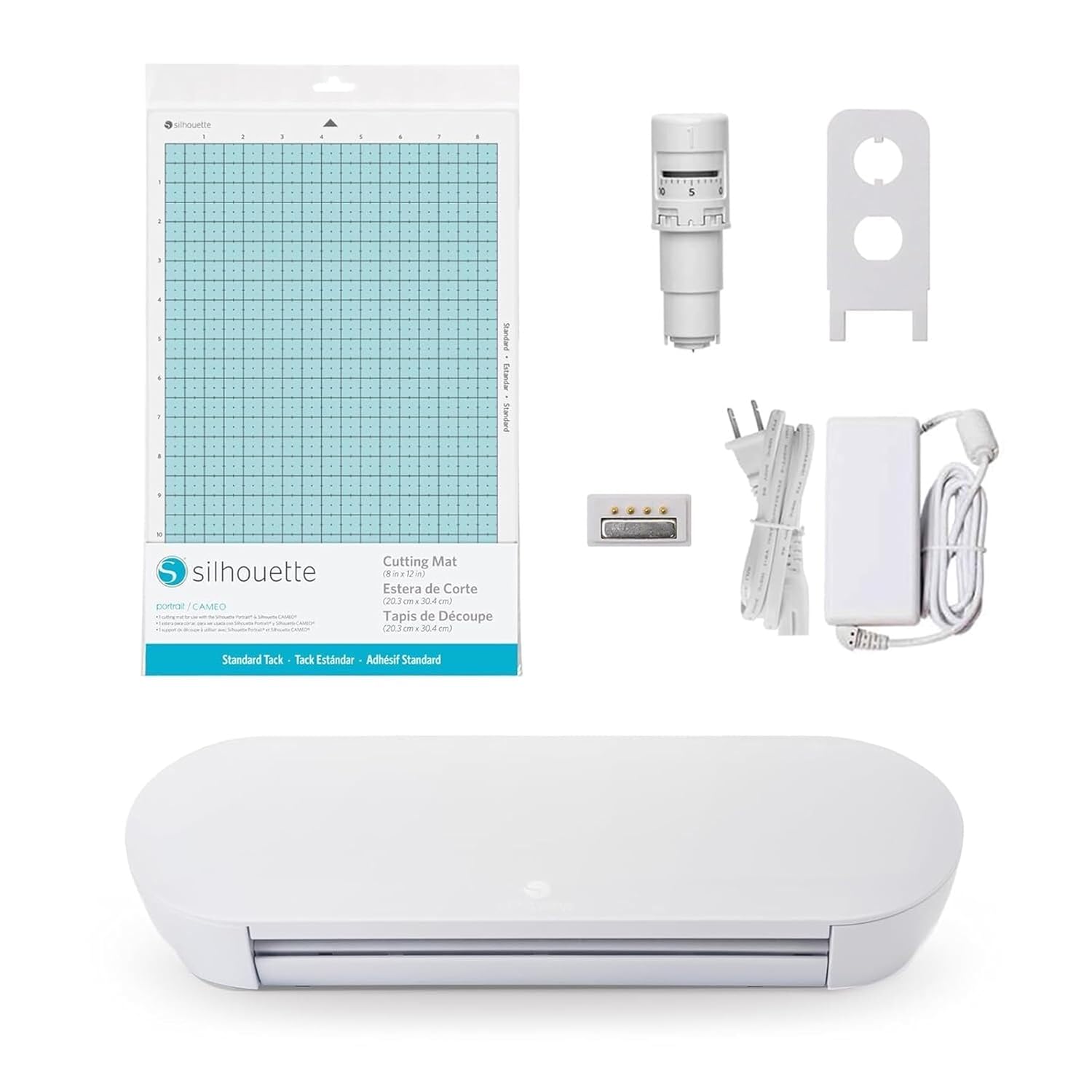
The Silhouette Portrait 4 is a 9-inch vinyl cutting machine designed for crafters who demand precision and versatility. It is a full redesign of its predecessor, built around the new Silhouette New Architecture (SNA) using a belt-driven chassis for more accurate cuts. This machine is ideal for hobbyists and small business owners who create stickers, cards, or fabric projects.
Standout features include IPT (Intelligent Path Technology) which optimizes the cutting order to prevent material tension. This results in sharp, multi-layered cuts without tearing or rounding corners, giving your designs a professional finish. The inclusion of Silhouette Studio software and PixScan technology lets you import and cut around printed images with ease.
The build quality is robust with a primarily metal construction, ensuring durability. At 50 dB, it operates quietly, making it suitable for use in shared spaces. The 9-inch cutting width is compact yet sufficient for most craft projects, and the machine is compatible with ES Mats for reliable material adhesion.
Potential drawbacks include the limited cutting width which may not suit large-scale projects. Additionally, the initial setup and software learning curve can be challenging for beginners. Some accessories like additional tools and mats are not included, requiring separate purchase.
Overall, the Silhouette Portrait 4 is a solid investment for crafters seeking enhanced cut quality and quieter operation. It earns high marks for precision and value, making it a top choice for detailed vinyl cutting and other creative applications.
Brand: Silhouette America
Model: SILH-PORTRAIT-4-4T
Cutting Width: 9 inches
Active Surface Area: 81 square inches
Noise Level: 50 dB
Dimensions: 18D x 9W x 9H inches
Weight: 16 ounces
Material: Metal
Color: White
Warranty: 1 year limited

Pros
- Exceptional cutting accuracy with 4-point registration system
- Ultra-quiet operation suitable for shared workspaces
- Versatile material compatibility (vinyl, fabric, cardstock, and more)
- Fast Sketch Mode saves time without losing detail
- Comprehensive software and accessories included in the box
Cons
- Requires some learning curve to master the Studio software
- Cutting mat size (12x24) may be limiting for very large or long projects
- Periodic replacement of blades and mats adds ongoing cost
The Silhouette Cameo 5 Alpha is a smart cutting machine designed for crafters, small business owners, and hobbyists who demand precision and versatility. It excels in print-and-cut applications, making stickers, labels, and heat transfers with exceptional accuracy thanks to its new 4-point registration system. This machine is a solid upgrade for anyone moving beyond basic die-cutting or looking for a quieter, faster alternative to older models.
Standout features include Fast Sketch Mode, which accelerates drawing without losing fine details, and Intelligent Path Technology that optimizes cut order for smoother results. The whisper-quiet motor operates at speeds up to 400mm/s, allowing you to work without disturbing others. In real-world use, the Cameo 5 Alpha handles vinyl, fabric, cardstock, and even glossy photo paper with ease, making it a true all-in-one creative tool.
Build quality is sturdy with a metal and plastic construction, and the classic white finish fits well in any workspace. The included AutoBlade, cutting mat, and Studio software provide everything you need to start creating immediately. The 12x24 inch cutting area is generous for most projects, though professionals may occasionally wish for a larger surface.
One potential drawback is the learning curve associated with the Silhouette Studio software; beginners may need time to explore its features. Additionally, consumables like blades and cutting mats require periodic replacement, adding to long-term costs. However, the machine's performance and accuracy justify the investment for serious creators.
Overall, the Silhouette Cameo 5 Alpha delivers on its promises of quiet operation, speed, and precision. It is a top choice for anyone who needs a reliable print-and-cut machine for business or personal projects. With its thoughtful features and solid build, it earns a strong recommendation for crafters ready to elevate their work.

Pros
- Easy setup and user-friendly for beginners.
- Compact and portable design for small spaces.
- Versatile: can cut, write, draw, foil, and score.
- Works with your printer for full-color sticker projects.
- Bundle includes a wide variety of materials to get started.
Cons
- Requires a home inkjet printer for full-color sticker functionality.
- Some users reported a slight learning curve with material loading.
- The machine may occasionally need a reset if it stops feeding material.
The Cricut Joy 2 Essential Bundle is the next generation of Cricut's ultra-compact cutting machine, designed for quick, everyday projects. It's ideal for beginners and hobbyists who want to create custom cards, simple decals, labels, and full-color stickers without a steep learning curve.
Standout features include its ability to work with any home inkjet printer to produce precision-cut full-color stickers. The machine automatically recognizes printed images and cuts around them accurately. Real-world performance from user reviews highlights easy setup and reliable operation after a short adjustment period, with many users praising the bundle's material variety for immediate project creation.
Design and build quality are typical of Cricut: the machine is lightweight at just over 2 pounds and highly portable. The compact footprint fits easily on a desk or shelf. Build materials are sturdy plastic, and the bundled tools feel durable for regular use.
Potential drawbacks include a slight learning curve when loading materials, and occasional hiccups like material feeding issues that require a simple reset. Some customers have reported receiving used units sold as new, so buy from reputable sellers. The machine also requires a printer for full-color stickers, which may add cost if you don't already have one.
Overall, the Cricut Joy 2 Essential Bundle offers excellent value for beginners and occasional crafters. Its portability, ease of use, and the generous starter materials make it a smart choice for anyone wanting to explore die-cut crafting without a large investment.
Brand: Cricut
Model: Joy 2 (Essential Bundle + Rainbow Sampler)
Cutting Width: 4.5 inches (11.4 cm)
Machine Weight: 2 lbs (0.91 kg)
Dimensions (D x W x H): 8.75 x 16.3 x 7.25 inches
Connectivity: Bluetooth wireless
Compatible Materials: 75+ materials including vinyl, iron-on, cardstock, printable materials
Included Components: Cricut Joy 2 machine, Smart Vinyl, Smart Iron-On, Value Cardstock, Insert Card Sets, Printable Vinyl, and essential tools
Warranty: 1 Year Limited Manufacturer Warranty on machine
System Requirements: Mobile phone, tablet, or computer with Bluetooth and high-speed internet

Pros
- Includes free design software with no subscription needed
- Large built-in design library (20,000+ resources)
- Cuts, writes, and scores in one device
- Wireless and wired connectivity options
- Works with various materials for diverse projects
Cons
- Some users report needing a cutting mat for best results
- Included software may have limited Mac/Linux support (third-party alternatives work)
- Pen holder may not accommodate larger pens without modification
The VEVOR 12-inch vinyl cutting machine is a feature-rich die-cut machine designed for crafters, hobbyists, and small business owners who want to create custom stickers, cards, decals, and more. With over 20,000 built-in design resources and free design software, it eliminates the need for recurring subscriptions, making it an attractive option for budget-conscious creators.
Standout features include the included software that works online or offline, supporting PNG, JPG, SVG, and TIF files for easy image import. The 3-in-1 capability allows you to cut, write, and score with a simple switch, letting you handle detailed patterns and folded projects without extra tools. Its compatibility with Mac, Windows, Android, and iOS via USB, Bluetooth, or USB drive offers unmatched flexibility.
In real-world use, the machine delivers clean cuts on vinyl, cardstock, heat transfer paper, and more. Users praise its accuracy and ease of use, especially for large-scale projects. The 12-inch width handles most standard materials, and the button and screen interface makes operation straightforward for beginners.
Build quality is solid with ABS and Q235 materials, though the machine is relatively heavy at 18.1 pounds. Some users note that a cutting mat is recommended to prevent vinyl from wrapping around the roller bar, and the included pen holder may not fit larger pens without modifications. Additionally, while the software works well on Windows, Mac and Linux users may need third-party options like Sure-Cuts-a-Lot or InkCut.
Overall, the VEVOR vinyl cutter offers excellent value for its price, combining a huge design library, versatile connectivity, and multi-functionality. It is best suited for crafters who want a reliable, cost-effective machine for everyday DIY projects, though those needing advanced software support or larger pen compatibility should consider potential workarounds.
Brand: VEVOR
Model: Smart3
Cutting Width: 12 inches
Active Surface Area: 144 square inches
Connectivity: USB, Bluetooth, USB drive
Compatible Operating Systems: Mac, Windows, Android (5.1+), iOS (11.0+)
Supported File Formats: PNG, JPG, SVG, TIF
Included Software: Free design software (online/offline)
Built-in Design Resources: 20,000+
Material Compatibility: Vinyl, heat transfer paper, cardstock, foil, specialty paper
Functions: Cut, write/draw, score
Product Dimensions: 22.8 x 7.36 x 6.61 inches
Weight: 18.1 pounds
Material: ABS, Q235
Color: Blue
Input Voltage: 240 volts

Pros
- Cuts cleanly and quickly on a wide variety of materials including vinyl, cardstock, and iron-on
- Bundle includes ample supplies for up to 65 projects, ideal for starting multiple projects right away
- Compact and stylish design fits easily on a desk and can be moved around with ease
- Intuitive software with free content library and helpful tutorials (though some users find initial setup complex)
- Great value for the price, offering professional-looking results even for novice crafters
Cons
- Blade and tool compatibility: Explorer 5 series tools (like markers) are not interchangeable with older Explore models, which may require additional purchases
- Machine lacks a dust cover, so a separate bag or cover is recommended to protect it when not in use
- Some users report a learning curve with the Design Space software, requiring time to troubleshoot calibration and cut settings
The Cricut Explore 5 Essential Bundle is the latest evolution of Cricut’s popular 12-inch cutting machine, designed for crafters who want to create personalized projects quickly and easily. Whether you’re a scrapbooking enthusiast, a small business owner making custom decals, or a beginner looking to explore DIY crafting, this bundle offers a complete starter kit that includes tools and materials for up to 65 projects. Its compact size and modern Taupe finish make it a stylish addition to any workspace.
Performance-wise, the Cricut Explore 5 excels with top-tier precision cutting speeds that handle over 100 materials from vinyl and iron-on to cardstock and printable media. Users consistently praise the clean, professional cuts and the ability to create full-color stickers by printing from a home inkjet then letting the machine cut around the designs automatically. The Bluetooth connectivity and free Design Space app (with 3,000+ images, 100+ fonts, and 1,000+ projects) make it easy to start crafting right out of the box, though some beginners note a learning curve with the software
Design and build quality are standout features. The machine is 30% more compact than previous models, with a sleek, simplified interface and a snap-in pen holder that eliminates hassle. It works with six tools, including a deep cutting option for thicker materials like foam and rubber, but note that tools are specific to this series and not backward-compatible with older Explore machines. Additionally, the machine does not come with a dust cover, so you may want to purchase a bag or cover for storage.
Drawbacks include a few compatibility quirks: markers labeled for “Explorer 5” are required (older Explorer series markers won’t fit), and the debossing tool is not supported. Some users also report initial frustration with calibration and cut alignment, but this is often resolved by researching online tutorials. The limited warranty covers basic issues, but Cricut’s customer service is generally responsive.
Overall, the Cricut Explore 5 Essential Bundle delivers exceptional value for crafters of all skill levels. Its speed, precision, and generous supply kit make it a smart investment for anyone looking to create professional-quality projects at home. While there is a small learning curve and some tool compatibility constraints, the versatility and ease of use far outweigh these drawbacks. Highly recommended for scrapbooking, apparel decoration, and sticker making.

Pros
- Large cutting area enables larger designs and more efficient use of material.
- High precision with blade accuracy of 0.01mm ensures professional-looking cuts.
- Includes a wealth of accessories right out of the box, saving money on extras.
- Sturdy build quality with thickened aluminum body for reliability over time.
Cons
- Software is not compatible with Mac OS; users must purchase alternative software for Mac.
- Instructions are unclear and might require troubleshooting, especially for assembly and blade depth setup.
- Some units may have assembly issues (e.g., carriage wheel alignment) that need partial disassembly to fix.
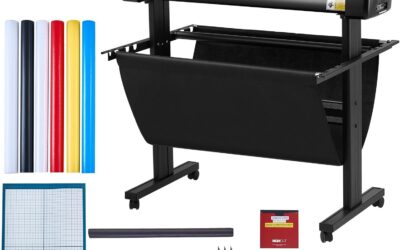
The VEVOR Upgraded 28-inch Vinyl Cutter Machine is a solid entry-level plotter designed for crafters, small business owners, and DIY enthusiasts. With a maximum paper feed of 28.3 inches and a cutting width of 24.8 inches, it handles large banners, signs, and intricate decals with ease. This bundle is particularly appealing for those starting out in vinyl cutting, as it includes five rolls of vinyl, a utility knife, and other essential accessories.
In terms of performance, the cutter delivers high precision with an adjustable pressure range of 10-500 grams and speed up to 800 mm/s, ensuring clean cuts on materials like heat transfer vinyl, card stock, and paint masks. The LCD panel makes it straightforward to tweak settings on the fly. Users report that once set up correctly, the machine operates reliably and produces excellent results, with many praising its value for the price point.
Build quality is reassuring, with a thickened aluminum body and powerful stepper motors that provide stability during operation. The machine connects via USB or COM ports and comes with SignMaster software for Windows, though Mac users will need to purchase third-party software (like Easy Cut Studio) to use it. The included activation code and software download methods are convenient, though some may find the instructions lacking clarity.
Potential drawbacks include a steep learning curve due to poor assembly instructions and occasional mechanical issues, such as the carriage wheel being out of alignment, which may require minor disassembly. Additionally, the machine does not support macOS, and the blade depth adjustment can be finicky. Despite these issues, the overall feedback from users is positive, with many highlighting its excellent value and robust performance for the price.
Our verdict: The VEVOR 28-inch Vinyl Cutter is a great investment for budget-conscious users who don't mind spending a little extra time on setup. It offers professional-grade cutting capabilities at a fraction of the cost of premium brands. Recommended for Windows users seeking a versatile, expandable cutting solution for DIY projects and small-scale production.
Pros
- Impressive 49.6 inch cutting width for large format projects
- High precision (+/-0.01mm) produces clean, accurate cuts
- Adjustable pressure and speed offer versatility for different materials
- Double spring pinch rollers reduce paper drift over long distances
- Excellent value compared to other 53 inch vinyl cutters on the market
Cons
- Software installation can be challenging for some users, as noted in a few reviews
- Not compatible with Mac operating systems
- Alignment may require manual adjustment for extensive production runs
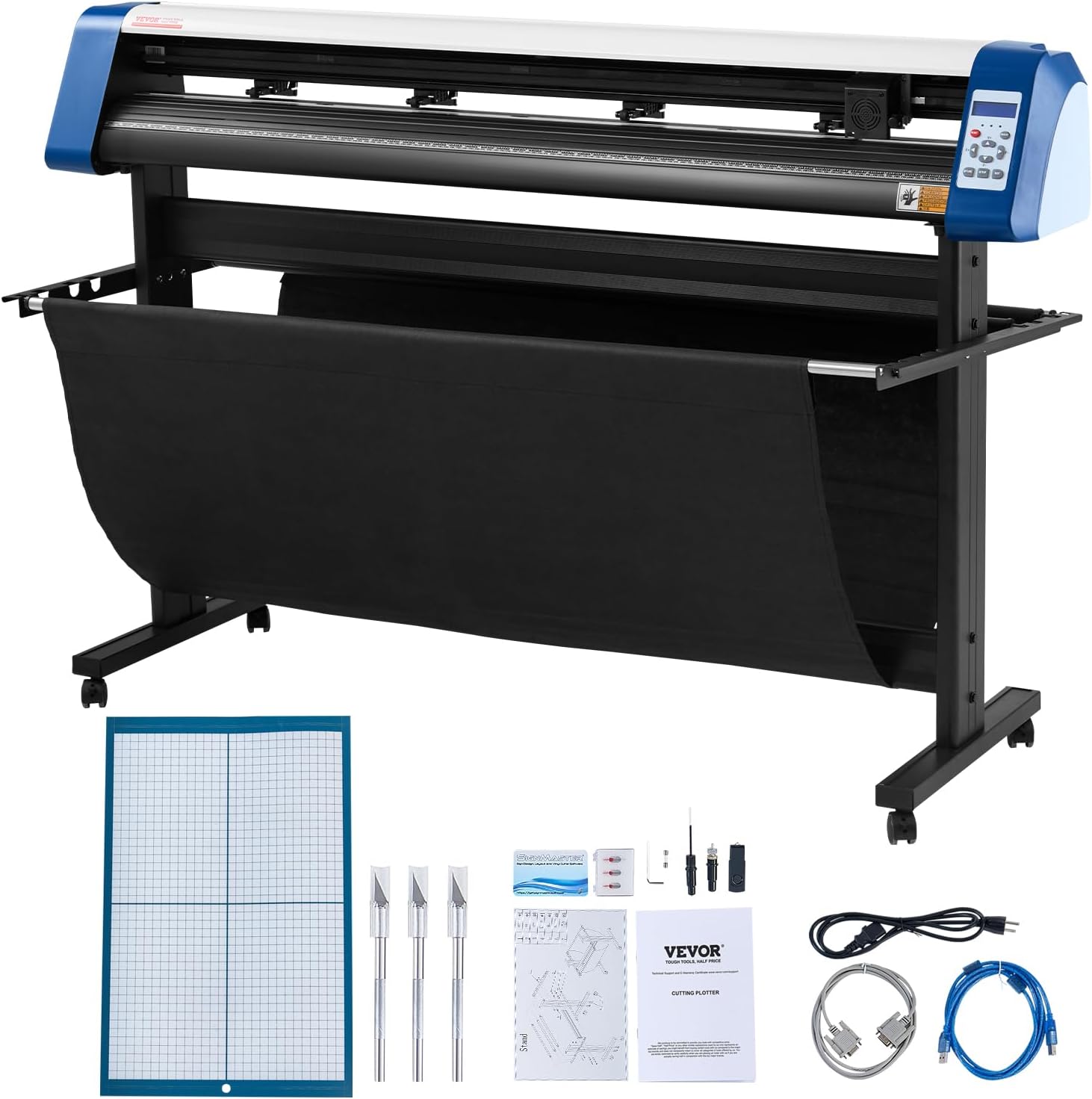
The VEVOR 53 inch Semi-Automatic Vinyl Cutter Machine is designed for professionals and hobbyists who need a large format cutter for signs, decals, and heat transfers. With a maximum paper feed of 53.1 inches and a cutting width of 49.6 inches, it handles wide projects without the hassle of tiling. Priced competitively, it brings industrial-like capabilities to small workshops.
Its standout feature is the combination of precision and stability. The cutting accuracy of +/-0.01mm ensures intricate designs are cut cleanly, while the ARM motherboard and 4M cache memory provide smooth data processing. The double spring pinch rollers and roughened steel rollers keep the media aligned even during long runs, reducing waste and rework.
Build quality is solid, with a frame made from ABS and aluminum that feels durable. The backlit LCD display and digital controls make it easy to adjust pressure (20-500g) and speed (20-800mm/s) on the fly. Connectivity options include USB, COMPIM, and U-Disk, and the machine works with Windows and common file formats like SVG and PDF. The included Signmaster software gets you started quickly.
However, there are some drawbacks. A few users report difficulty with driver installation, and the machine is not compatible with Mac systems. Over time, some alignment issues may arise, especially for very long cuts, requiring manual adjustment. These are manageable but worth noting for potential buyers.
Overall, the VEVOR 53 inch vinyl cutter delivers excellent value for its price. It is ideal for sign makers, crafters, and small businesses that need a reliable, large-format cutter without breaking the bank. With careful setup and a bit of patience, it can produce professional-quality results for years.
Buying Guide: What to Look for in a Vinyl Cutting Machine
Cutting Width and Footprint
Cutting width is the first spec to sort out. Compact models like the Cricut Joy 2 and Silhouette Portrait 4 cut up to 9 inches wide, which covers labels, cards, and most small decals. These are ideal if you plan to craft on a crowded desk or move your equipment between rooms.
Mid-size machines, including the Cricut Explore 5 and Silhouette Cameo 5 Alpha, offer 12-inch cutting widths. That extra space matters when you want to make larger vinyl decals or wrap a tumbler in one continuous piece. They still tuck into a standard bookshelf when not in use.
Wide-format VEVOR cutters take things further with paper feeds up to 53 inches. These are designed for sign makers and small businesses that produce banners in bulk. Before buying one, measure your workspace and think about roll storage, because these machines need dedicated room.
While you plan your layout, do not forget about the air quality in your craft area. A clean filter keeps dust and allergens from settling on your materials, so check out our recommendations for the best 16x25x5 air filters if you have a forced air system.
Software and Design Workflow
Every vinyl cutter depends on software to turn your artwork into a cut file. Cricut machines use Design Space, a free cloud-based app that works on desktops and mobile devices. It offers guided setup, a huge image library, and automatic registration for printed stickers.
Silhouette machines ship with Silhouette Studio, a more traditional desktop program with advanced tools for vector editing and PixScan. It runs offline, which is a plus if your internet connection is unreliable. The newest Portrait 4 and Cameo 5 Alpha also support Silhouette’s wireless connection and multi-cut workflows.
VEVOR takes a different approach by bundling its own design software with no recurring fees. The 12-inch VEVOR model adds Bluetooth and USB drive support, so you can work on a Mac, Windows PC, Android tablet, or iOS device without extra costs. If you like to design in multiple apps, make sure your chosen machine can import SVG, PNG, or PDF files.
Material Compatibility and Tools
The best vinyl cutting machines handle far more than standard adhesive vinyl. Look for support for heat transfer vinyl, cardstock, printable vinyl, and even fabric. Cricut Joy 2 works with Smart Materials without a cutting mat, and the Explore 5 cuts more than 100 materials when you upgrade to the deep point blade.
Silhouette’s AutoBlade automatically sets blade depth based on the material profile you choose. The Cameo 5 Alpha adds a 4-point registration system for flawless print and cut accuracy, which is essential for sticker makers. It also cuts and sketches at high speed without sacrificing detail.
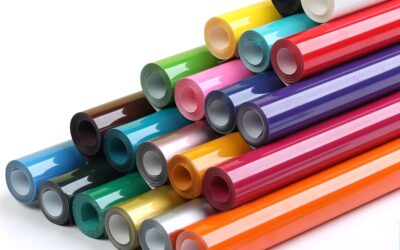
VEVOR machines support cutting, writing, and scoring in one unit. They accept thicker media like craft paper and foil, making them good all-rounders for hobbyists who enjoy experimenting with different materials. Just remember to match the blade type to the material, and calibrate pressure settings for each job.
If you share your craft space with pets, dust and pet hair can clog rollers and mats. Keeping the room clean is part of maintenance, and our top 16x20x1 furnace filters can help reduce airborne particles that build up around your gear.
Precision, Speed, and Noise Level
Cut precision determines whether your designs look professional or slightly off. Silhouette’s IPT technology optimizes the cutting order to prevent tearing at sharp angles, while the redesigned Portrait 4 runs at a quieter 50 db. If you craft late at night, a hushed machine makes a big difference.
The Cricut Explore 5 cuts at top-tier speeds for a desktop model, and the Cameo 5 Alpha reaches up to 400 mm/s. For larger jobs, VEVOR’s wide-format cutters offer adjustable pressure from 20 to 500 grams and speeds up to 800 mm/s, with a blade accuracy rated at 0.01 mm. That level of control matters for fine details and long cuts.
You should also consider calibration features. Many machines let you adjust cut pressure, speed, and blade depth manually, which gives you more flexibility. In our assessment, the best setup is one that lets you save material profiles so you don’t have to re-enter them every time you switch from glossy vinyl to matte cardstock. For clean air in a small studio, don’t overlook your HVAC filter, so browse our 16x25x1 furnace filter picks before you start a marathon cutting session.
Final Thoughts
If you want a grab-and-go starter kit that fits in a small corner, the Cricut Joy Xtra Cutting Machine and Smart Vinyl is our favorite all-in-one bundle. For crafters who plan to grow their own sticker shop or need precise print and cut performance, the Silhouette America Cameo 5 Alpha (α) deserves a permanent spot on your desk. Both machines are backed by strong software ecosystems and loyal maker communities, so you will never run out of ideas.
Frequently Asked Questions
Can a vinyl cutting machine cut iron-on vinyl?
Yes, all the machines we recommend can cut heat transfer vinyl. Set the blade to the material profile for iron-on, then weed the design and press it onto fabric with a heat press or household iron. The Cricut Joy Xtra and Silhouette Portrait 4 are both reliable choices for small apparel projects.
Do I need a cutting mat with a vinyl cutter?
Many compact machines use a cutting mat for stability, but Cricut Smart Vinyl eliminates the mat entirely on Cricut Joy Xtra and Joy 2. Silhouette’s Portrait 4 and Cameo 5 Alpha include an electrostatic mat capable of holding material without adhesive. For standard computer vinyl, a mat is still helpful to keep edges flat.
What software do I need for a vinyl cutting machine?
The software depends on the brand. Cricut uses Design Space, Silhouette uses Silhouette Studio, and VEVOR includes its own offline program with no subscription. All of these are free to download and use for the included tools. Pair your craft room with clean air by using furnace filters for pet owners to keep dust from settling on your machine.
Are wide-format vinyl cutters worth it for home use?
They are worth it if you regularly make signs, banners, or long vinyl strips that don’t fit on a 12-inch mat. The VEVOR 28-inch and 53-inch models are more affordable than professional plotters and handle large production runs. For occasional hobby crafting, a compact or 12-inch machine is easier to store and maintain.
Write Your Review
No reviews yet. Be the first to share your experience!